
Beyond Compare v5.1.6.31527 修改版 - 果核剥壳

Beyond Compare是一款文件及文件夹(目录)的对比工具。Beyond Compare不仅可以快速比较出两个目录的不同,还可以比较每个文件的内容,而且可以任意显示比较结果。Beyond Compare程序内建了文件浏览器,方便您对文件、文件夹、压缩包、FTP网站之间的差异比对以及资料同步。

Beyond Compare软件特色:


展开会话概念

· 所有类型的比较均可以被保存为会话,而不仅仅是文件夹比较

· 插件被替换为内置会话类型

· 保存的会话可以在文件夹里管理

· 自动保存新比较至会话

 全面启用unicode 

· 不仅支持Unicode文件内容,而且支持Unicode文件名

 界面改进 

· 针对会话视图的选项卡界面

· 手头的“主视图”用于启动或管理会话

· 可以保存和恢复多个打开会话的布局

· 内置“检查升级”功能

 文件夹比较功能 

· 选择喜欢的文件夹图标颜色

· 多个操作可以通过队列执行

· 文件操作默认使用过滤器

· 专用文件夹同步会话

· Touch and 属性命令可以递归执行到子文件夹。

· 属性 命令现在执行Unix属性

· 新的忽略 命令将不匹配文件标记为确定 mismatched file as okay

· 新的 移动到文件夹命令

· 平展文件夹帮助比较文件夹结构的不同

· 能够替代对齐文件

   文本比较特点 

· 完整的i窗格内编辑器自带动态重新比较

· 高亮语法

· 自适应装订按钮用于复制节

· 保存之后无限制的撤销

· 基于语法的比较规则

· 两侧比较运用独立的文件类型I

· 新的忽略 命令f标记不匹配文件为确定

· 多重书签

· 十六进制显示行细节的选项

· 三方文本合并

· 在和另一侧特定文本想比较时,能够将一侧的特定文本视为不重要的

   改进FTP支持 

· FTP配置文件,每一个会话可选

· 多项同时连接

· 内置安全FTP协议支持(SFTP和FTP基于SSL)

软件截图
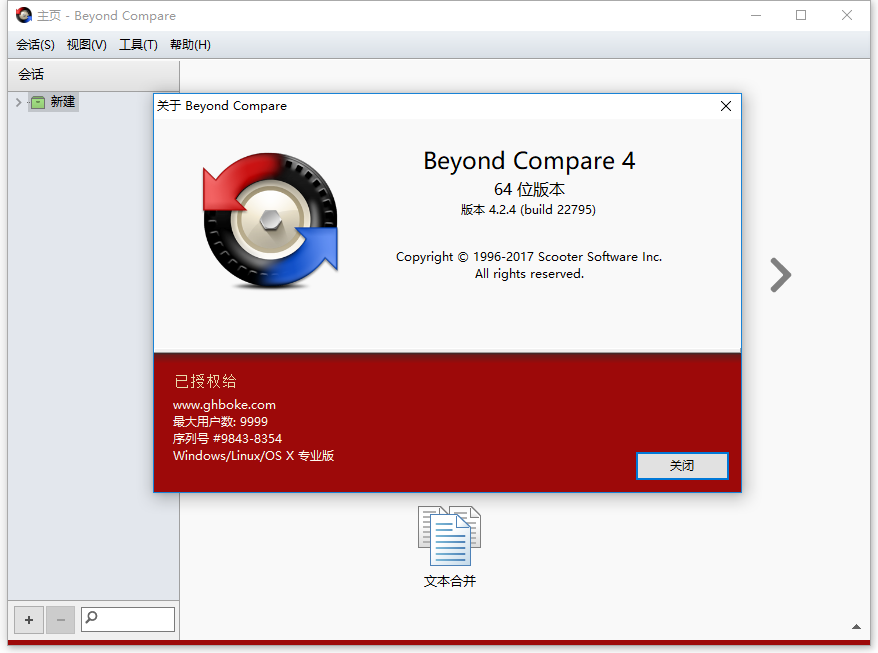
Beyond Compare v5.1.6.31527 修改版

修改说明

@423

1.基于简体中文版,原生便携式处理支持添加资源管理器右键
2.无需注册激活,解除验证集授权密钥,并切断联网验证请求
3.去界面网络连接横幅,去选项检测升级,去帮助菜单无用项
4.去检测升级提示,禁止检测升级
5.7z.dll模块版本更新24.08正式版
6.提供额外批处理添加右键菜单项
7.特别处理,右键菜单支持WinPE

下载地址

其他博客打着“全部免费无限制”,卖这些软件的,不要碧莲

https://mir.cr/1N0MRFJN

(注意,之前从上面这个聚合地址下载的,这个网站传一份可以自动传到10个不同的网盘,但是评论区有反馈说这个有木马,可能会下载到下载器,所以还是不要用上面的地址了)

https://pan.xunlei.com/s/VOO2-gZlbpuYaPtq42gHXIm_A1?pwd=xus2#

已高速https://www.123pan.cn/s/HQeA-dD1Sh

https://pan.quark.cn/s/a6553626e329

Beyond Compare v5.1.6.31527 修改版VIP高速直链
果核剥壳独家直链,无需网盘直接下载,省时省力
普通用户每天也提供免费下载次数

如果您喜欢本站,点击这儿不花一分钱捐赠本站

这些信息可能会帮助到你: 下载帮助 | 报毒说明 | 进站必看

修改版本安卓软件,加群提示为修改者自留,非本站信息,注意鉴别

(475)
上一篇 2025年10月30日 上午10:36
下一篇 2025年10月30日 上午11:36

相关推荐

回复 HaleShaw

评论问题之前,点击我,能帮你解决大部分问题

您的电子邮箱地址不会被公开。 必填项已用*标注

评论列表(263条)

  • majin
    majin 2025年11月6日 上午10:34
    Google Chrome 142.0.0.0 Google Chrome 142.0.0.0 Mac OS X  10.15.7 Mac OS X 10.15.7

    果核大佬,有没有mac版的啊

  • lqh280
    lqh280 2025年10月30日 下午2:52
    Firefox 143.0 Firefox 143.0 Windows 10 x64 Edition Windows 10 x64 Edition

    这个好用,感谢分享

  • 科林麦考
    科林麦考 2025年9月9日 下午2:11
    Google Chrome 122.0.6261.95 Google Chrome 122.0.6261.95 Windows 11 x64 Edition Windows 11 x64 Edition

    被360拦截,提示文件为银狐木马病毒瞪眼瞪眼瞪眼

  • touchfish
    touchfish 2025年9月7日 上午11:48
    Google Chrome 140.0.0.0 Google Chrome 140.0.0.0 Windows 11 x64 Edition Windows 11 x64 Edition

    第一个下载地址有病毒https://mir.cr/1N0MRFJN,执行后浏览器会被劫持,并且会创建“假钱包/钓鱼扩展”包来注入浏览器,还会创建一个远程通讯进程,别下载

    • 果核剥壳
      年费VIP果核剥壳 2025年9月7日 下午4:25
      Google Chrome 138.0.0.0 Google Chrome 138.0.0.0 Windows 10 x64 Edition Windows 10 x64 Edition

      注意,不要下到网页提供的下载器了。这个地址国外的

    • 1694904448
      1694904448 2025年9月19日 上午11:02
      Google Chrome 142.0.0.0 Google Chrome 142.0.0.0 Windows 10 x64 Edition Windows 10 x64 Edition

      大佬,已经下载了,怎么办,还执行了

    • aun2
      灵光灵光灵 2025年10月11日 下午10:25
      Google Chrome 141.0.0.0 Google Chrome 141.0.0.0 Windows 10 x64 Edition Windows 10 x64 Edition

      用卡巴斯基全盘扫吧,不放心就直接重装

  • ling1376
    ling1376 2025年9月1日 上午12:03
    Google Chrome 139.0.0.0 Google Chrome 139.0.0.0 Windows 11 x64 Edition Windows 11 x64 Edition

    5.1那个最新的,文件里面是4.4.6啊

  • 123
    123 2025年8月18日 下午6:56
    Google Chrome 132.0.0.0 Google Chrome 132.0.0.0 Windows 10 x64 Edition Windows 10 x64 Edition

    5.1.3出来啦

  • asimove
    asimove 2025年7月28日 上午11:27
    Google Chrome 139.0.0.0 Google Chrome 139.0.0.0 Windows 11 x64 Edition Windows 11 x64 Edition

    这个聚合下载弹了个mega链接,下载完是什么Wondershare Technology Group Co.,Ltd的木马程序,还是不要用的好。

    • asimove
      asimove 2025年7月28日 下午12:25
      Google Chrome 139.0.0.0 Google Chrome 139.0.0.0 Windows 11 x64 Edition Windows 11 x64 Edition

      仔细检查了下,好像不是木马,好像是万兴科技的dvd程序。但是点击安装之后没有任何提示,也没有新建任何文件夹。
      每次打开聚合链接,随便点哪里,都会新弹出一个软件下载链接

    • 1694904448
      1694904448 2025年9月19日 上午11:06
      Google Chrome 142.0.0.0 Google Chrome 142.0.0.0 Windows 10 x64 Edition Windows 10 x64 Edition

      真的吗大佬,我刚刚下载了这个还执行了一下,但是光柱安全了,没有打开任何窗口

  • 5555555
    5555555 2025年7月26日 下午7:09
    Firefox 139.0 Firefox 139.0 Android 11 Android 11

    版本落后了

    • 111
      111 2025年7月28日 下午3:31
      Google Chrome 132.0.0.0 Google Chrome 132.0.0.0 Windows 10 x64 Edition Windows 10 x64 Edition

      423那边已经更新到5.1.2了。

  • none
    none 2025年7月25日 下午8:32
    Microsoft Edge 138.0.0.0 Microsoft Edge 138.0.0.0 Windows 11 x64 Edition Windows 11 x64 Edition

    真心求教如何排除某个文件名的缓存文件夹,因为每个项目都会在不同路径生成这个文件夹,备份时候想统一排除这个文件夹,包括以后都不想包括进来,每次都要单独排除最近生成的这个名称的文件夹很麻烦

    • lblzy
      lblzy 2025年7月26日 上午7:28
      Google Chrome 109.0.0.0 Google Chrome 109.0.0.0 Windows 7 x64 Edition Windows 7 x64 Edition

      文件夹名有规律 就好办,回话设置--名称过滤--排除文件夹 填写
      还要将下面下拉选框 中 仅用于这个视图 改成 更新回话默认

  • lblzy
    lblzy 2025年7月25日 下午2:15
    Google Chrome 109.0.0.0 Google Chrome 109.0.0.0 Windows 7 x64 Edition Windows 7 x64 Edition

    5.1.1.31157 变成英文版了???

    • lblzy
      lblzy 2025年7月25日 下午2:32
      Google Chrome 109.0.0.0 Google Chrome 109.0.0.0 Windows 7 x64 Edition Windows 7 x64 Edition

      5.1.0 和 5.1.1 都是英文版

  • 95195
    95195 2025年7月3日 下午9:45
    Google Chrome 138.0.0.0 Google Chrome 138.0.0.0 Windows 10 x64 Edition Windows 10 x64 Edition

    这软件居然含有木马!!!!!!!!!!!!!

    • 果核剥壳
      年费VIP果核剥壳 2025年7月4日 上午9:36
      Google Chrome 136.0.0.0 Google Chrome 136.0.0.0 Windows 10 x64 Edition Windows 10 x64 Edition

      修改版会报毒,介意不要使用。具体可见:https://www.ghxi.com/help01.html

  • nulay
    nulay 2025年6月17日 下午4:13
    Sogou Explorer Sogou Explorer Windows 10 x64 Edition Windows 10 x64 Edition

    再反映一个小问题,设置了文件夹比较模式工具栏命令选项则保存不下来,再次使用都需要重设。希望改进,谢谢!

  • itspider
    itspider 2025年4月26日 下午6:35
    Google Chrome 122.0.6261.95 Google Chrome 122.0.6261.95 Windows 10 x64 Edition Windows 10 x64 Edition

    反映一个小问题,v5.0.7这一版,运行添加右键的批处理后,资源管理器右键中没有出现选择比较对象的菜单项。
    我原来用的是v4.4.7,先用v4版本中的添删右键批处理来卸载,再运行v5的批处理。
    请问怎么破?

    • itspider
      itspider 2025年4月30日 下午1:24
      Google Chrome 122.0.6261.95 Google Chrome 122.0.6261.95 Windows 10 x64 Edition Windows 10 x64 Edition

      经过多次尝试,终于成功了。

      用regedit,把所有的{57FA2D12-D22D-490A-805A-5CB48E84F12A}的换成{812BC6B5-83CF-4AD9-97C1-6C60C8D025C5}\InProcServer32],
      并且添加两行:
      [HKEY_LOCAL_MACHINE\SOFTWARE\Wow6432Node\Classes\CLSID\{812BC6B5-83CF-4AD9-97C1-6C60C8D025C5}]
      @="CirrusShellEx"

      [HKEY_LOCAL_MACHINE\SOFTWARE\Wow6432Node\Classes\CLSID\{812BC6B5-83CF-4AD9-97C1-6C60C8D025C5}\InProcServer32]
      @="D:\\GreenPrograms\\Tools_FileMng\\BeyondCompare5\\BCShellEx.dll"
      "ThreadingModel"="Apartment"

    • itspider
      itspider 2025年4月30日 下午1:27
      Google Chrome 122.0.6261.95 Google Chrome 122.0.6261.95 Windows 10 x64 Edition Windows 10 x64 Edition

      sorry,是把所有的{57FA2D12-D22D-490A-805A-5CB48E84F12A} ,换成
      {812BC6B5-83CF-4AD9-97C1-6C60C8D025C5}

  • w3334444
    w3334444 2025年2月19日 上午10:44
    Microsoft Edge 133.0.0.0 Microsoft Edge 133.0.0.0 Windows 11 x64 Edition Windows 11 x64 Edition

    非常棒,感谢站长,感谢工作人员赞

  • 会飞的夏尔
    会飞的夏尔 2025年2月13日 上午10:39
    Google Chrome 132.0.0.0 Google Chrome 132.0.0.0 Windows 10 x64 Edition Windows 10 x64 Edition

    非常感谢,好人啊。