

jarkViewer(看图工具) v1.33 绿色版 - 果核剥壳

jarkViewer 是基于opencv和各大图像库开发的一款开源看图软件。操作简单,鼠标在窗口两侧边缘滚轮切换图片,在窗口中间滚轮放大缩小。双击切换全屏,鼠标中键显示图像EXIF等详细信息,右键退出。软件静态图像支持:jpg jp2 jpe jpeg ico dib bmp exr png等等。动态图像支持:gif webp png apng。RAW格式支持:crw pef sr2 cr2 cr3等等。

软件截图
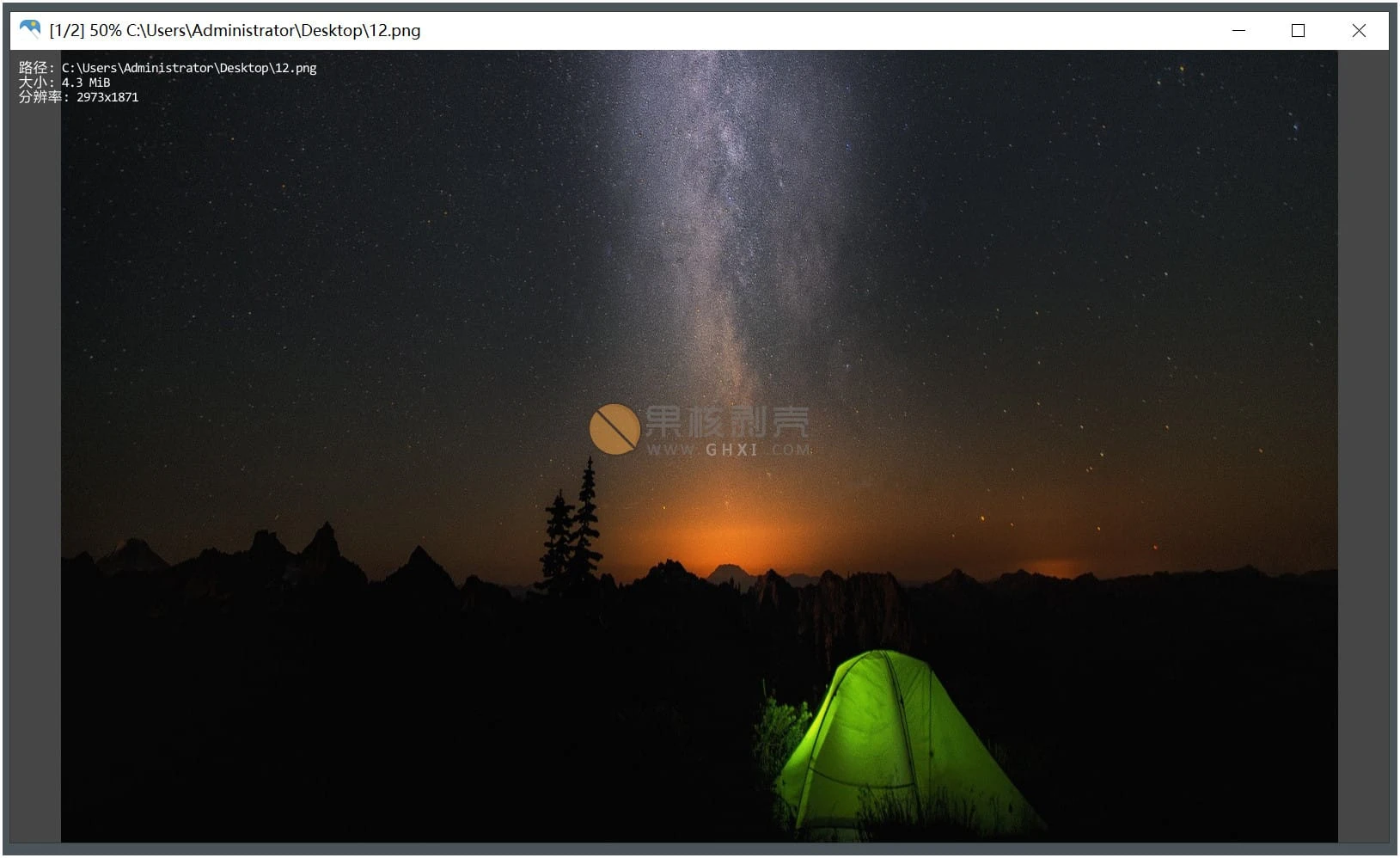
jarkViewer(看图工具) v1.33 绿色版

更新日志

支持多页TIFF图像
配置文件换到程序所在目录
修复打印页滚轮坐标异常
修复ico解码异常
修复实况照片无法解析视频
修复解析Exif.Photo.UserComment异常

软件推荐

针对看图软件,推荐果核团队自己开发的软件MagicView

https://pic.ghxi.com/

下载链接

https://github.com/jark006/jarkViewer

https://pan.quark.cn/s/c2a790c11b1b

https://pan.xunlei.com/s/VOPZQL-xKjtMjvAjm26o13AtA1?pwd=kfbj#

已高速(如有密码:3519)http://ct.ghpym.com/d/7369060-63050686-ba58a0

jarkViewer(看图工具) v1.33 绿色版VIP高速直链
果核剥壳独家直链,无需网盘直接下载,省时省力
普通用户每天也提供免费下载次数
隐藏内容,VIP可见

如果您喜欢本站,点击这儿不花一分钱捐赠本站

这些信息可能会帮助到你: 下载帮助 | 报毒说明 | 进站必看

修改版本安卓软件,加群提示为修改者自留,非本站信息,注意鉴别

(6)
上一篇 1天前
下一篇 1天前

相关推荐

回复 霁月逐风

评论问题之前,点击我,能帮你解决大部分问题

您的电子邮箱地址不会被公开。 必填项已用*标注

评论列表(21条)

  • 霁月逐风
    霁月逐风 2026年2月2日 下午4:30
    Microsoft Edge 144.0.0.0 Microsoft Edge 144.0.0.0 Windows 10 x64 Edition Windows 10 x64 Edition

    单文件太棒了,设置里有格式关联,设置格式关联以后才能在windows设置里设置成默认应用

  • kuleo88863
    kuleo88863 2026年1月18日 下午4:59
    Microsoft Edge 144.0.0.0 Microsoft Edge 144.0.0.0 Windows 10 x64 Edition Windows 10 x64 Edition

    以这个打开图片速度和浏览便捷上,可以给个夯。
    建议可以设置在最后一张停止而不是循环。

  • gubk136
    gubk136 2026年1月18日 上午4:35
    Google Chrome 144.0.0.0 Google Chrome 144.0.0.0 Windows 10 x64 Edition Windows 10 x64 Edition

    启动打开图片的速度极快,在我的电脑上比irfanview还快,特别是打开大图片的时候,irfanview还会卡稍微那么一点点,jarkViewer完全是秒启动。
    建议:
    1、增加打开图片时,窗口跟随图片大小变化,我喜欢用irfanview除了速度快,就是它可以跟随图片大小变化窗口
    2、连续看图片时,默认最后一张后跳到第一张图,希望可以增加到最后一张图时停止,不要循环跳回第一张

  • 逝水之痕
    逝水之痕 2025年11月16日 下午6:28
    Google Chrome 119.0.6045.160 Google Chrome 119.0.6045.160 Windows 10 x64 Edition Windows 10 x64 Edition

    这什么啊 自定义功能太少了。。。。太差了

  • ql1307096
    ql1307096 2025年9月13日 下午3:16
    Google Chrome 137.0.0.0 Google Chrome 137.0.0.0 Windows 11 x64 Edition Windows 11 x64 Edition

    试了一下,软件看图速度很快,显示效果也很好,缺点是没有多少自定义设置的,windows软件我们通常喜欢点右键,这个软件点右键就是退出。希望作者能修改下,或者支持自定义设置快捷键。

    • JARK006
      JARK006 2025年9月15日 下午4:42
      Google Chrome 139.0.0.0 Google Chrome 139.0.0.0 Android 10 Android 10

      右键后续会改成菜单

    • ql1307096
      ql1307096 2025年12月11日 上午8:54
      Google Chrome 134.0.0.0 Google Chrome 134.0.0.0 Windows 11 x64 Edition Windows 11 x64 Edition

      1.3版可以用右键了。不过可定制参数还是太少,比如像我就习惯用滚轮来前后浏览图片,ctrl+滚轮来缩放。但是您这个用滚轮只能缩放,希望多一些自定义的设置功能,软件还是挺不错的。

    • JARK006
      JARK006 2025年12月19日 上午12:24
      Google Chrome 142.0.0.0 Google Chrome 142.0.0.0 Windows 11 x64 Edition Windows 11 x64 Edition

      滚轮功能是看鼠标位置的,鼠标在窗口左或右边缘时滚轮就是切图,在左上/右上角滚轮就是旋转

    • 24926
      24926 2025年12月22日 下午3:39
      Microsoft Edge 135.0.0.0 Microsoft Edge 135.0.0.0 Windows 10 x64 Edition Windows 10 x64 Edition

      您是酷安冻它的作者吗?眼熟你

  • 八角先生
    啊对对对对对 2025年7月7日 下午2:01
    Google Chrome 138.0.0.0 Google Chrome 138.0.0.0 Windows 10 x64 Edition Windows 10 x64 Edition

    挺好用的,简洁高效,有点当年honey view刚出的时候那感觉

  • scg16
    scg16 2025年5月9日 上午11:20
    Google Chrome 118.0.0.0 Google Chrome 118.0.0.0 Windows 10 x64 Edition Windows 10 x64 Edition

    有没有能看小米动态照片的?JPG格式,MVimg开头的。

    • JARK006
      JARK006 2025年5月9日 下午9:12
      Google Chrome 136.0.0.0 Google Chrome 136.0.0.0 Windows 11 x64 Edition Windows 11 x64 Edition

      我抽空搞搞,现在jarkViewer只支持苹果动态照片(.livp)的静态部分

    • ql1307096
      ql1307096 2025年9月13日 下午3:14
      Google Chrome 137.0.0.0 Google Chrome 137.0.0.0 Windows 11 x64 Edition Windows 11 x64 Edition

      能否将右键关闭软件这个设定去掉?或者让人可以自定义?windows软件习惯了在界面点右键,但是这个一点右键就关闭了。

    • JARK006
      JARK006 2025年12月19日 上午12:26
      Google Chrome 142.0.0.0 Google Chrome 142.0.0.0 Windows 11 x64 Edition Windows 11 x64 Edition

      已更新右键菜单

    • JARK006
      JARK006 2025年12月19日 上午12:25
      Google Chrome 142.0.0.0 Google Chrome 142.0.0.0 Windows 11 x64 Edition Windows 11 x64 Edition

      现已支持播放苹果和安卓的实况照片,但暂不支持音频。

  • JARK006
    JARK006 2024年11月19日 下午12:12
    Google Chrome 130.0.0.0 Google Chrome 130.0.0.0 Android 10 Android 10

    2024.11.19 更新 v1.23:

    1. 可拖动图像文件到窗口或ctrl+o打开文件
    2. 窗口自适应系统深色浅色主题
    3. 图像四周加个线条边框
    4. 修复小尺寸窗口时交互可能闪退
    5. 修复GIF解码
    6. 完善bpg动画
    7. 更换图标

    其他:将脚本 associate_images.bat (github或网盘下载) 放置到 jarkViewer.exe 同一目录下,右键管理员身份运行即可关联图片格式,即设为默认看图软件。

    • T哥
      T哥 2025年1月1日 下午9:58
      Sogou Explorer Sogou Explorer Windows 10 x64 Edition Windows 10 x64 Edition

      associate_images.bat 在哪呢?网盘里没有,Github打不开

    • ql1307096
      ql1307096 2025年9月13日 下午1:46
      Google Chrome 137.0.0.0 Google Chrome 137.0.0.0 Windows 11 x64 Edition Windows 11 x64 Edition

      往下拉到1.24版本就有下载的。

    • ql1307096
      ql1307096 2025年9月13日 下午3:13
      Google Chrome 137.0.0.0 Google Chrome 137.0.0.0 Windows 11 x64 Edition Windows 11 x64 Edition

      github上,往下拉到1.24版本就有下载的。

  • 北极幸运星
    北极幸运星 2024年9月27日 下午10:13
    Microsoft Edge 129.0.0.0 Microsoft Edge 129.0.0.0 Windows 10 x64 Edition Windows 10 x64 Edition

    精简得适合放pe里当预制工具用

  • 靓仔
    靓仔 2024年9月27日 下午5:39
    Microsoft Edge 129.0.0.0 Microsoft Edge 129.0.0.0 Windows 11 x64 Edition Windows 11 x64 Edition

    太精简了,设置页面也莫得翻白眼