
魔图师 v1.1.0 - 果核剥壳

魔图师是本站开发的一款图片处理软件,使用C#开发,界面美观。

支持功能

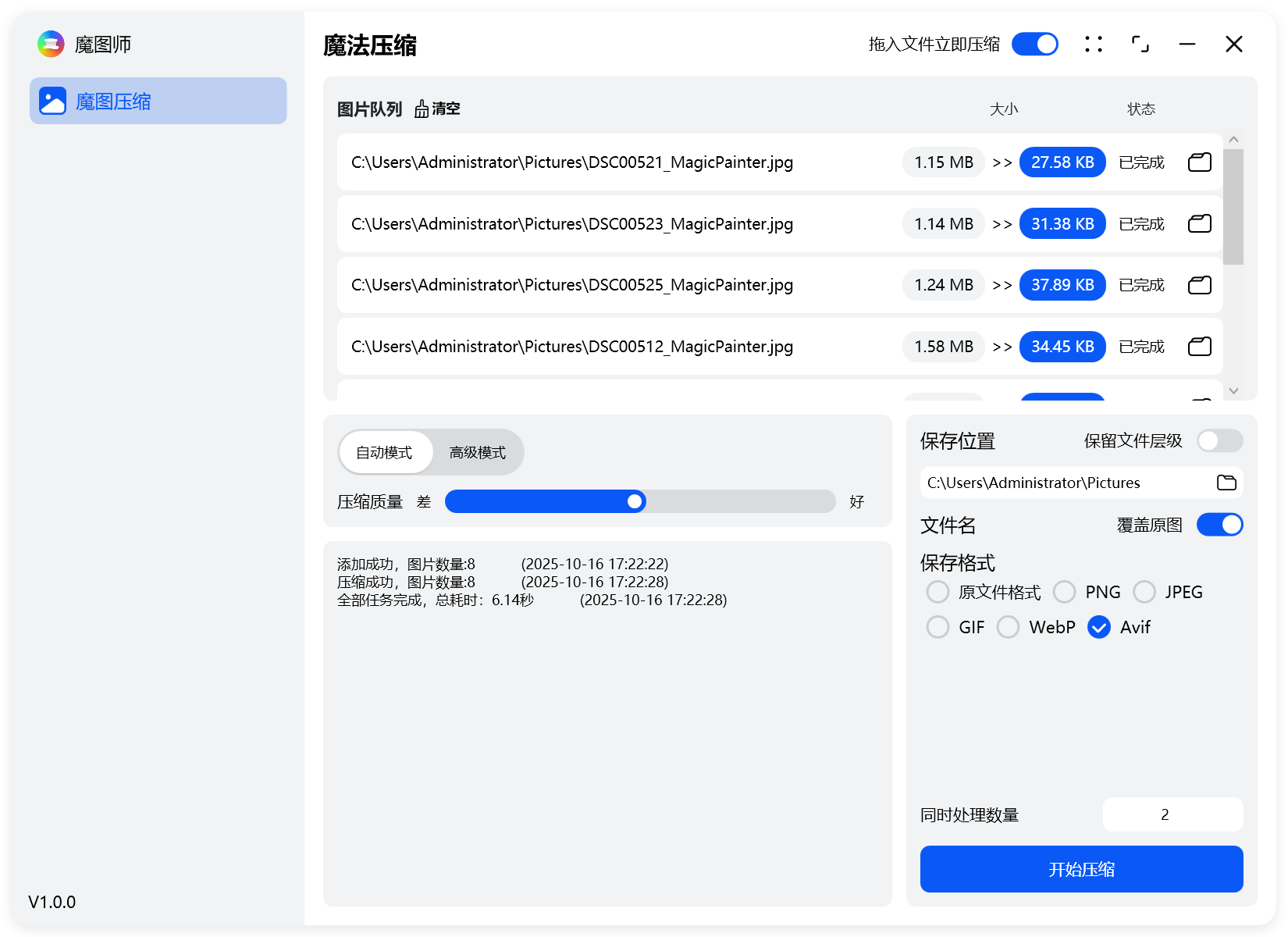
图片压缩

目前只支持3种图片压缩,PNG、JPG、GIF,后续会根据反馈进行功能的更新。

程序使用了比较流行的压缩库:

JPG:MozJPEG、Guetzli

Guetzli是谷歌家比较高的压缩库,占内存比较多,对压缩有极致需求的同学可以选择。

PNG:Oxipng、pngquant

GIF:gifsicle

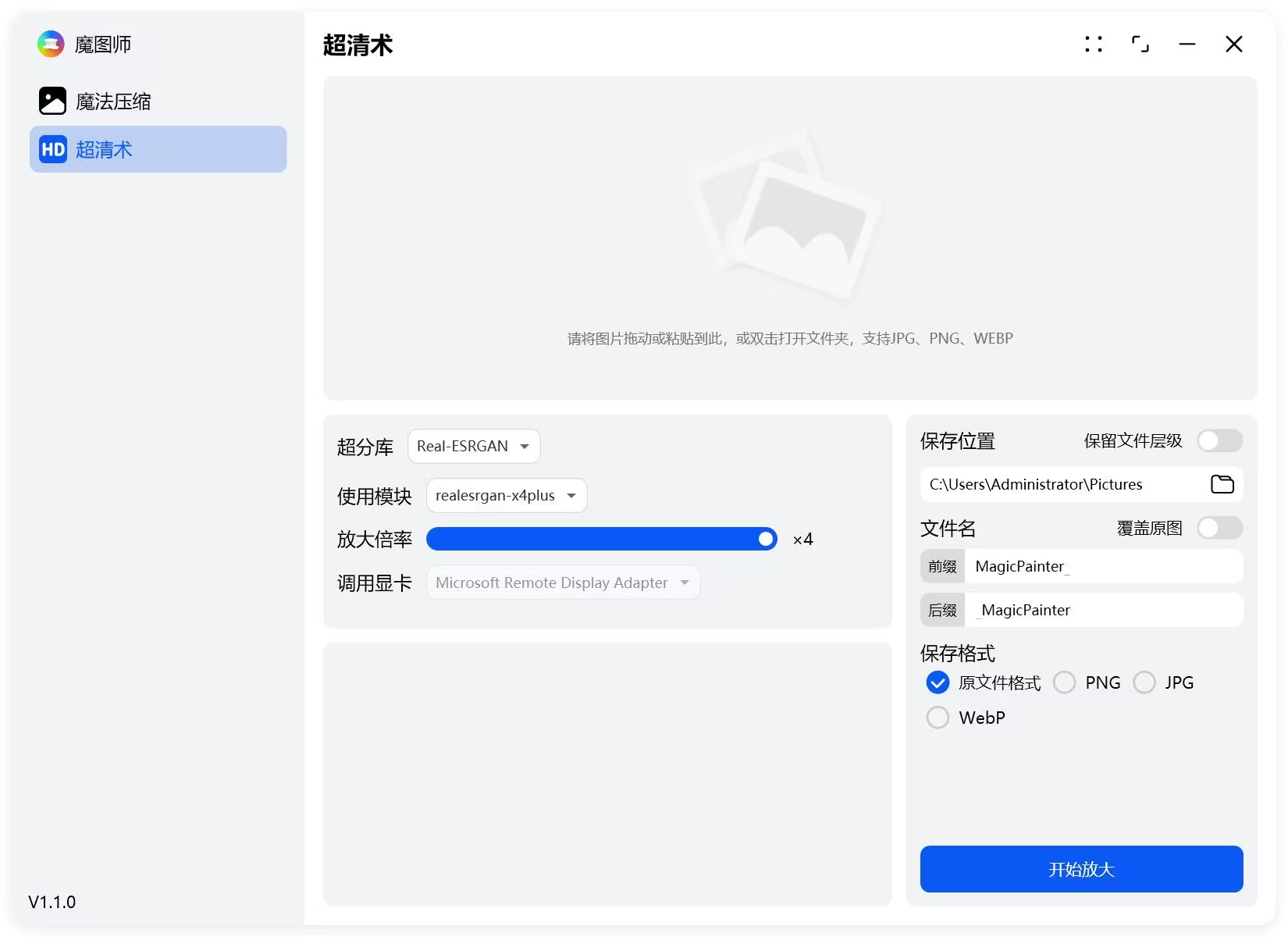
图片放大

支持批量图片放大

集成Real-ESRGAN库,最大图片放大4倍

realesrgan-x4plus(默认)
realesrgan-x4plus-anime(针对动漫插画图像优化,有更小的体积)
realesr-animevideov3 (针对动漫视频)
魔图师 v1.1.0

魔图师 v1.1.0

更新日志

1.1

新增图片AI放大功能

1.0.0

优化UI界面

新增支持拖入文件夹

新增拖入立即压缩功能

0.05

优化UI界面

新增转换为AV1F图片格式

修复保存图片前缀设置问题

优化高分屏显示清晰度

调整软件默认打开位置

新增更新检测

0.04

修改UI界面

0.02

新增支持保存为原图格式

新增转换库

下载链接

目前只支持64位系统,需要.net8.0环境,如果没有安装,软件会提示。

https://pan.quark.cn/s/dd3202a513a6

https://pan.xunlei.com/s/VOa3i3Aw-WybmoYVI_M9czQSA1?pwd=xid5#

已高速(如有密码:3519)http://ct.ghpym.com/#/d/7369060-155322715-02d8ab?p=3519

https://www.123865.com/s/HQeA-s8wSh

魔图师 v1.1.0VIP高速直链
果核剥壳独家直链,无需网盘直接下载,省时省力
普通用户每天也提供免费下载次数

如果您喜欢本站,点击这儿不花一分钱捐赠本站

这些信息可能会帮助到你: 下载帮助 | 报毒说明 | 进站必看

修改版本安卓软件,加群提示为修改者自留,非本站信息,注意鉴别

(27)
上一篇 2025年10月24日 下午5:06
下一篇 2025年10月24日 下午5:20

相关推荐

回复 布拉格

评论问题之前,点击我,能帮你解决大部分问题

您的电子邮箱地址不会被公开。 必填项已用*标注

评论列表(61条)

  • 2090204699
    Rem 2025年11月20日 下午4:26
    Microsoft Edge 142.0.0.0 Microsoft Edge 142.0.0.0 Windows 11 x64 Edition Windows 11 x64 Edition

    图片编辑功能未来会有像类似微信截图那样子的吗,我工作用到箭头指示和文字标注比较多。试了好几个都没有像微信截图或者PixPin那么快的,但是这俩只能截图,不能编辑。或者有别的软件推荐不,谢谢了谢谢了

  • 灯哥
    灯哥 2025年11月4日 下午3:50
    Microsoft Edge 141.0.3537.99 Microsoft Edge 141.0.3537.99 iPhone iOS 26.0.0 iPhone iOS 26.0.0

    Real-cugan模型也不错,比Real-esrgan更适合动漫,希望下个版本能加上

  • 灯哥
    灯哥 2025年11月4日 下午3:46
    Microsoft Edge 141.0.3537.99 Microsoft Edge 141.0.3537.99 iPhone iOS 26.0.0 iPhone iOS 26.0.0

    MozJPEG可以无损再压缩为jxl画质不变减少大约20%体积

  • 70717
    70717 2025年10月28日 上午8:46
    Google Chrome 134.0.0.0 Google Chrome 134.0.0.0 Windows 11 x64 Edition Windows 11 x64 Edition

    希望搞一个看图软件,像2345一样能显示缩略图的,或者有没有推荐啊?

  • cherub0507
    cherub0507 2025年10月28日 上午12:16
    Google Chrome 141.0.0.0 Google Chrome 141.0.0.0 Windows 11 x64 Edition Windows 11 x64 Edition

    不支持调整分辨率啊

  • 大志若鱼
    大志若鱼 2025年10月27日 下午2:29
    Google Chrome 141.0.0.0 Google Chrome 141.0.0.0 Mac OS X  10.15.7 Mac OS X 10.15.7

    希望增加抠图功能,例如依靠RMBG模型的抠图功能

  • 大志若鱼
    大志若鱼 2025年10月27日 下午2:26
    Google Chrome 141.0.0.0 Google Chrome 141.0.0.0 Mac OS X  10.15.7 Mac OS X 10.15.7

    希望能支持linux和Macos

  • 大志若鱼
    大志若鱼 2025年10月27日 下午2:26
    Google Chrome 141.0.0.0 Google Chrome 141.0.0.0 Mac OS X  10.15.7 Mac OS X 10.15.7

    希望在压缩图片界面打开文件夹的图标旁边加上预览图片功能和复制图片功能

  • tsst
    tsst 2025年10月25日 上午10:36
    Google Chrome 128.0.0.0 Google Chrome 128.0.0.0 Windows 10 x64 Edition Windows 10 x64 Edition

    测试几种图像格式,放大不能用,显示失败

    • 果核剥壳
      年费VIP果核剥壳 2025年10月25日 下午3:09
      Google Chrome 141.0.0.0 Google Chrome 141.0.0.0 Windows 10 x64 Edition Windows 10 x64 Edition

      你是什么显卡?AMD的不一定支持

  • colinsun
    colinsun 2025年10月25日 上午9:58
    Google Chrome 122.0.6261.95 Google Chrome 122.0.6261.95 Windows 11 x64 Edition Windows 11 x64 Edition

    HD超清术压根就不能用啊

  • colinsun
    colinsun 2025年10月25日 上午9:56
    Google Chrome 122.0.6261.95 Google Chrome 122.0.6261.95 Windows 11 x64 Edition Windows 11 x64 Edition

    每次传的软件版本都不对

  • 1213612274
    1213612274 2025年10月20日 下午5:29
    Microsoft Edge 141.0.0.0 Microsoft Edge 141.0.0.0 Windows 11 x64 Edition Windows 11 x64 Edition

    压缩后文件大小需要可以设置范围,需要压缩后文件大小预览,这个对于资料员上传资料很有帮助

    • 111
      111 2025年10月21日 上午12:46
      Microsoft Edge 141.0.0.0 Microsoft Edge 141.0.0.0 Windows 11 x64 Edition Windows 11 x64 Edition

      赞同行

  • 飞天猫有9条命
    飞天猫有9条命 2025年10月18日 下午10:32
    Microsoft Edge 140.0.0.0 Microsoft Edge 140.0.0.0 Windows 11 x64 Edition Windows 11 x64 Edition

    Seems not bad. 棒!

  • 睡觉
    睡觉 2025年10月18日 下午6:07
    Microsoft Edge 141.0.0.0 Microsoft Edge 141.0.0.0 Windows 10 x64 Edition Windows 10 x64 Edition

    在很少的场景之中,会有图片增加体积的需求,如果有可能,可以考虑增加(按体积、按比例扩容)

    • 1213612274
      1213612274 2025年10月20日 下午5:30
      Microsoft Edge 141.0.0.0 Microsoft Edge 141.0.0.0 Windows 11 x64 Edition Windows 11 x64 Edition

      同感,目前批量压缩软件顶多可以设置压缩大小的上限,没有下限设置

  • panmu
    panmu 2025年10月18日 下午5:45
    Google Chrome 122.0.6261.95 Google Chrome 122.0.6261.95 Windows 10 x64 Edition Windows 10 x64 Edition

    开启拖入 直接失败,关闭拖入 点击开始压缩显示 失败

    • panmu
      panmu 2025年10月18日 下午5:49
      Google Chrome 122.0.6261.95 Google Chrome 122.0.6261.95 Windows 10 x64 Edition Windows 10 x64 Edition

      以管理员运行,不能拖入了

  • colinsun
    colinsun 2025年10月17日 下午3:14
    Google Chrome 122.0.6261.95 Google Chrome 122.0.6261.95 Windows 11 x64 Edition Windows 11 x64 Edition

    这里是v1.0.0版本,下载后是0.0.5版本,搞错了吧

  • andy
    andy 2025年10月17日 下午1:39
    Google Chrome 122.0.6261.95 Google Chrome 122.0.6261.95 Windows 11 x64 Edition Windows 11 x64 Edition

    最新版1.0在WIN11 25H2用不了

  • 万帝
    万帝 2025年10月16日 下午10:53
    Google Chrome 114.0.5735.289 Google Chrome 114.0.5735.289 Windows 10 x64 Edition Windows 10 x64 Edition

    现在更新了确实不错,希望能点“清空”键还能把下面框里显示的日志也清空。这个便携版挺好,可以保持上次的设置,加油!比商业版软件好用

    • 果核剥壳
      年费VIP果核剥壳 2025年10月17日 上午9:39
      Google Chrome 141.0.0.0 Google Chrome 141.0.0.0 Windows 10 x64 Edition Windows 10 x64 Edition

      日志区域,右键有菜单可以清空

  • wsmtbg
    wsmtbg 2025年10月10日 上午10:19
    Firefox 143.0 Firefox 143.0 Windows 10 x64 Edition Windows 10 x64 Edition

    怎么CMYK的压不了啊...

  • wsmtbg
    wsmtbg 2025年10月10日 上午10:16
    Firefox 143.0 Firefox 143.0 Windows 10 x64 Edition Windows 10 x64 Edition

    期待拖进去的图片能单个删除...