

【惊奇软件】Microsoft PowerToys v0.99.1 官方版 - 果核剥壳

Microsoft PowerToys是一组实用程序,供高级用户调整和简化Windows体验,以提高工作效率。受Windows 95时代PowerToys项目的启发,此重启为高级用户提供了从Windows 10 shell压缩更高效率并针对单个工作流进行自定义的方法。

微软官方出了的一款系统增强功能,实测功能非常实用。值得下载。
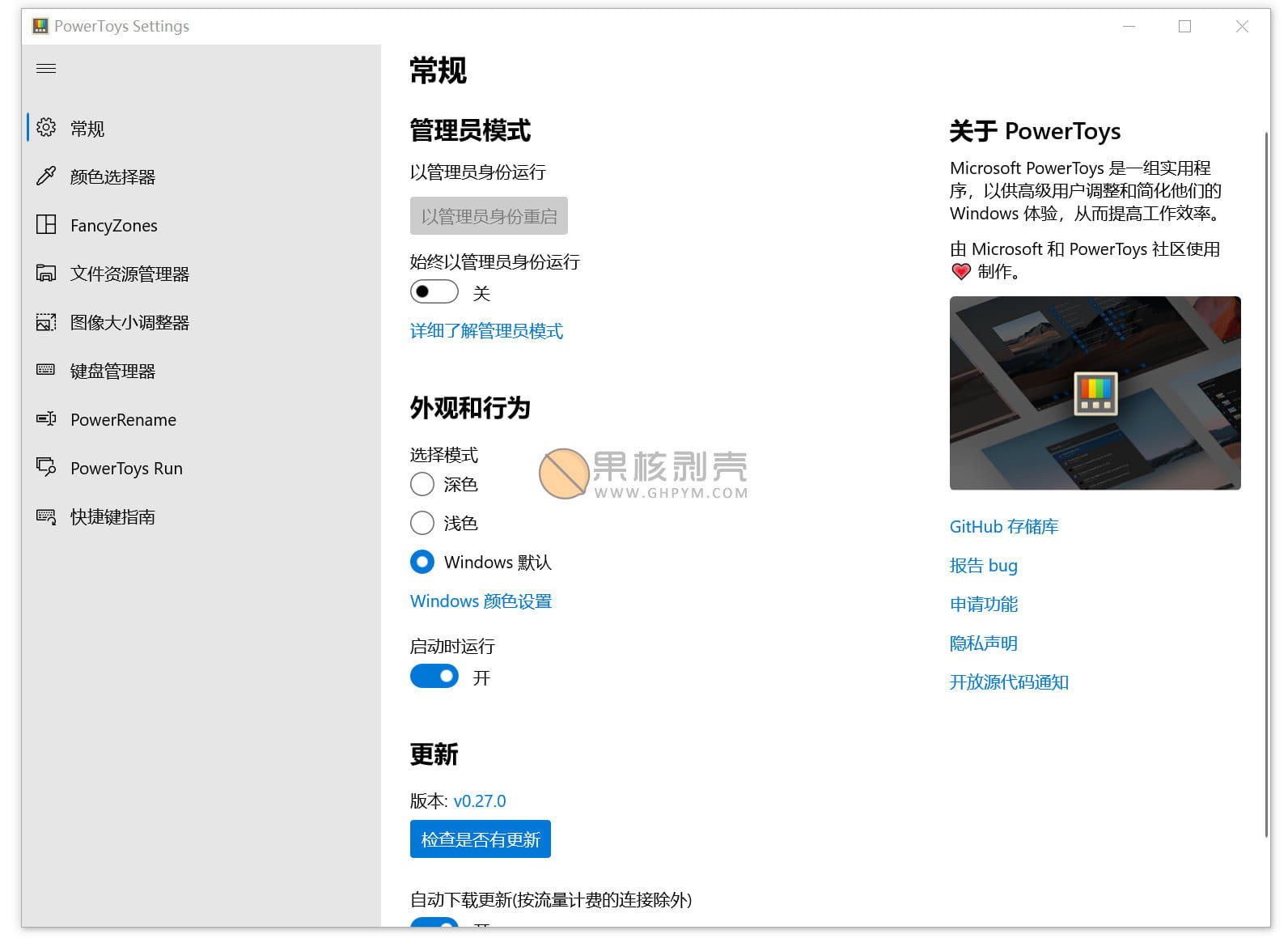
【惊奇软件】Microsoft PowerToys v0.99.1 官方版

软件功能

聚合搜索

聚合搜索

文件快速预览

快速调整图片大小

自定义键盘映射

批量重命名

显示快捷键

具体文件介绍请查看微信文章:https://mp.weixin.qq.com/s/8Az7oY9qWx16UR0SWKaxUQ

视频介绍

https://www.ghxi.com/ghvideo18.html

系统要求

Windows 10 v1903(内部版本18362)或更好的首选,最低Windows 10 v1803(内部版本17134)。
老版本请安装:.NET Core 3.1

更新日志

亮点
此修补程序版本修复了v0.99.0中根据传入报告确定的几个重要稳定性和行为问题。查看v0.99.0注释以获得完整的更改列表。

命令行
修复了在#47296中从DockSettings中解析的null settings.json导致的加载设置时启动时崩溃的问题
修复了#47317中dock标签设置未在会话中持久化的错误
抓取和移动
修复了一个错误,在按下另一个键时释放吸收的Alt键会阻止它正确传播到其他应用程序#47261
修复了一个错误,在那里开始菜单和其他操作系统表面将是可拖动的#47302
修正了在#47326中,当修改器设置为G键时,Win键将被阻止或游戏栏将被激活的错误
功率显示
在#47270中添加了额外的诊断日志,以帮助调查显示检测和控制问题
在#47303中应用这些潜在破坏性更改之前,将输入源、色温和电源状态控件默认为关闭,并添加了确认对话框
在#47321中使用内部显示器的本地化“内置显示器”名称,而不是硬编码字符串

下载地址

软件开源:https://github.com/microsoft/PowerToys

果核镜像

https://pan.quark.cn/s/e826845421b0

https://pan.xunlei.com/s/VOK_PxJ3Rj5OyrvANbP7jAqzA1?pwd=9c78#

已高速(如有密码:3519)http://ct.ghpym.com/d/7369060-41582220-624841

【惊奇软件】Microsoft PowerToys v0.99.1 官方版VIP高速直链
果核剥壳独家直链,无需网盘直接下载,省时省力
普通用户每天也提供免费下载次数
隐藏内容,VIP可见

如果您喜欢本站,点击这儿不花一分钱捐赠本站

这些信息可能会帮助到你: 下载帮助 | 报毒说明 | 进站必看

修改版本安卓软件,加群提示为修改者自留,非本站信息,注意鉴别

(90)
上一篇 2026年4月30日 上午9:32
下一篇 2026年4月30日 上午10:23

相关推荐

回复 莫忉

评论问题之前,点击我,能帮你解决大部分问题

您的电子邮箱地址不会被公开。 必填项已用*标注

评论列表(101条)

  • illidan47
    illidan47 2021年2月6日 下午8:48
    UC Browser 12.0.4.990 UC Browser 12.0.4.990 Android 10 Android 10

    安装后手动更新不了。非要重新下载完整包。

  • killer1100
    killer1100 2021年1月5日 上午9:16
    Google Chrome 78.0.3904.108 Google Chrome 78.0.3904.108 Windows 10 x64 Edition Windows 10 x64 Edition

    不知道为什么,我的安装了打不开

  • Tan
    Tan 2021年1月2日 上午11:49
    Microsoft Edge 87.0.664.66 Microsoft Edge 87.0.664.66 Windows 10 x64 Edition Windows 10 x64 Edition

    文件不存在,**站长又忘记存文件了,快去提醒他

  • Liu3369596
    Liu3369596 2021年1月1日 下午1:39
    Microsoft Edge 87.0.664.66 Microsoft Edge 87.0.664.66 Windows 10 x64 Edition Windows 10 x64 Edition

    跟百度输入法冲突。

  • Little Bear
    Little Bear 2020年12月16日 下午2:51
    Google Chrome 86.0.4240.198 Google Chrome 86.0.4240.198 Windows 10 x64 Edition Windows 10 x64 Edition

    Unhandled winrt exception encountered!
    打开PowerToys_0.27.1_64bit_Setup.exe提示通知平台不可用。

  • 1475072345
    LZ洛杰 2020年12月3日 下午9:36
    Microsoft Edge 87.0.664.52 Microsoft Edge 87.0.664.52 Windows 10 x64 Edition Windows 10 x64 Edition

    0.27自带中文:github.com/microsoft/PowerToys/releases/tag/v0.27.0

  • kiki
    kiki 2020年10月4日 下午12:42
    MIUI Browser 13.0.21 MIUI Browser 13.0.21 Android 10 Android 10

    安装后无法打开,我的是w10精简版。

  • lostlosin
    lostlosin 2020年9月24日 上午10:59
    Google Chrome 78.0.3904.108 Google Chrome 78.0.3904.108 Windows 10 x64 Edition Windows 10 x64 Edition

    文件不存在!ss站长又忘传文件了,快去留言提醒他

  • zhang233
    zhang233 2020年9月2日 下午8:05
    Microsoft Edge 85.0.564.44 Microsoft Edge 85.0.564.44 Windows 10 x64 Edition Windows 10 x64 Edition

    连接超时,请检查您的网络。。。

  • wk7
    wk7 2020年7月16日 下午10:13
    Microsoft Edge 83.0.478.64 Microsoft Edge 83.0.478.64 Windows 10 x64 Edition Windows 10 x64 Edition

    0.19.2 标题打错了。。。。

  • King00
    King00 2020年7月15日 下午8:50
    Google Chrome 84.0.4128.3 Google Chrome 84.0.4128.3 Windows 10 x64 Edition Windows 10 x64 Edition

    爱了爱了

  • 吾爱白嫖
    GHS(干好事)不留名 2020年7月12日 下午9:58
    Firefox 78.0 Firefox 78.0 Windows 10 x64 Edition Windows 10 x64 Edition

    幸亏我懂得“英国历史”,很少需要“踹你死”

    • wkek
      wkek 2021年4月6日 下午10:15
      Microsoft Edge 87.0.664.66 Microsoft Edge 87.0.664.66 Windows 10 x64 Edition Windows 10 x64 Edition

      哈哈,我也

  • u2shana
    u2shana 2020年7月12日 下午7:40
    Google Chrome 83.0.4103.116 Google Chrome 83.0.4103.116 Windows 10 x64 Edition Windows 10 x64 Edition

    以前不是有个分屏的吗

  • liuaofan2017
    liuaofan2017 2020年7月4日 下午4:40
    Google Chrome 83.0.4103.116 Google Chrome 83.0.4103.116 Windows 10 x64 Edition Windows 10 x64 Edition

    我电脑版本刚好1903,有点想砸了的冲动。

  • eddy.wang
    eddy.wang 2020年7月2日 上午11:28
    Microsoft Edge 83.0.478.58 Microsoft Edge 83.0.478.58 Windows 10 x64 Edition Windows 10 x64 Edition

    感觉现在的win10的搜索挺好用的啊 左下角那个,可以搜索应用程序跟文件了,还能直接搜索网页等其他的,挺好用的了

  • 训练师比你牛
    PolaRitus 2020年7月1日 下午1:13
    Google Chrome 78.0.3904.108 Google Chrome 78.0.3904.108 Windows 10 x64 Edition Windows 10 x64 Edition

    果核,早上十点原贴更新到19.0了,你这刚写完文章就更新了,运气真好[doge]

  • Unhc
    Unhc 2020年7月1日 上午10:43
    QQbrowser 10.6.4163.400 QQbrowser 10.6.4163.400 Windows 10 x64 Edition Windows 10 x64 Edition

    这替换后还是英文的啊 卸载重装了几次还是错的

  • 1ssue
    1ssue 2020年7月1日 上午10:16
    Google Chrome 69.0.3497.100 Google Chrome 69.0.3497.100 Windows 10 x64 Edition Windows 10 x64 Edition

    旧版替换成功汉化文件打开还是英文版,不知道哪一步出错了

    • 1ssue
      1ssue 2020年7月1日 下午3:20
      Google Chrome 69.0.3497.100 Google Chrome 69.0.3497.100 Windows 10 x64 Edition Windows 10 x64 Edition

      52帖子里说已知1903以上版本无法汉化成功

  • Coupon
    Coupon 2020年7月1日 上午10:03
    Microsoft Edge 83.0.478.56 Microsoft Edge 83.0.478.56 Windows 10 x64 Edition Windows 10 x64 Edition

    太强了,感谢果核!

  • F_M_K
    k_Ray 2020年7月1日 上午9:48
    Firefox 76.0 Firefox 76.0 Windows 10 x64 Edition Windows 10 x64 Edition

    坐等新版汉化 [doge]