
PDF-XChange Editor Plus 11.0.1.0 便携版 - 果核剥壳

PDF-XChange PRO-使用PDF的通用解决方案。包含了Tracker软件的三个最佳应用程序的软件包:PDF-XChange Editor Plus,PDF-Tools和PDF-XChange Standard。
使用PDF-XChange Editor Plus,您可以创建,查看和编辑图像和PDF文件。
PDF-Tools在创建和处理PDF文件方面处于世界领先地位。
得益于便捷的界面,您几乎可以将任何格式转换为PDF,反之亦然。PDF-XChange Standard是一种虚拟打印机,可用于创建,更新和打印标准PDF文件。

修改说明

@果核剥壳 @Soda120 @423Down

* 拆包官方32位安装包,便携化免激活处理,解锁付费功能
* 加入额外的OCR扩展组件及OCR识别语言包(中文/英/俄)
├—保存文件和打印文件无水印,可用增强型OCR引擎文字识别功能
├—可去受保护文件安全属性,可解除 PDF文件无法复制打印等限制
* 补全原版个别未翻译的字符串,删除多国语言文件仅保留中文语言
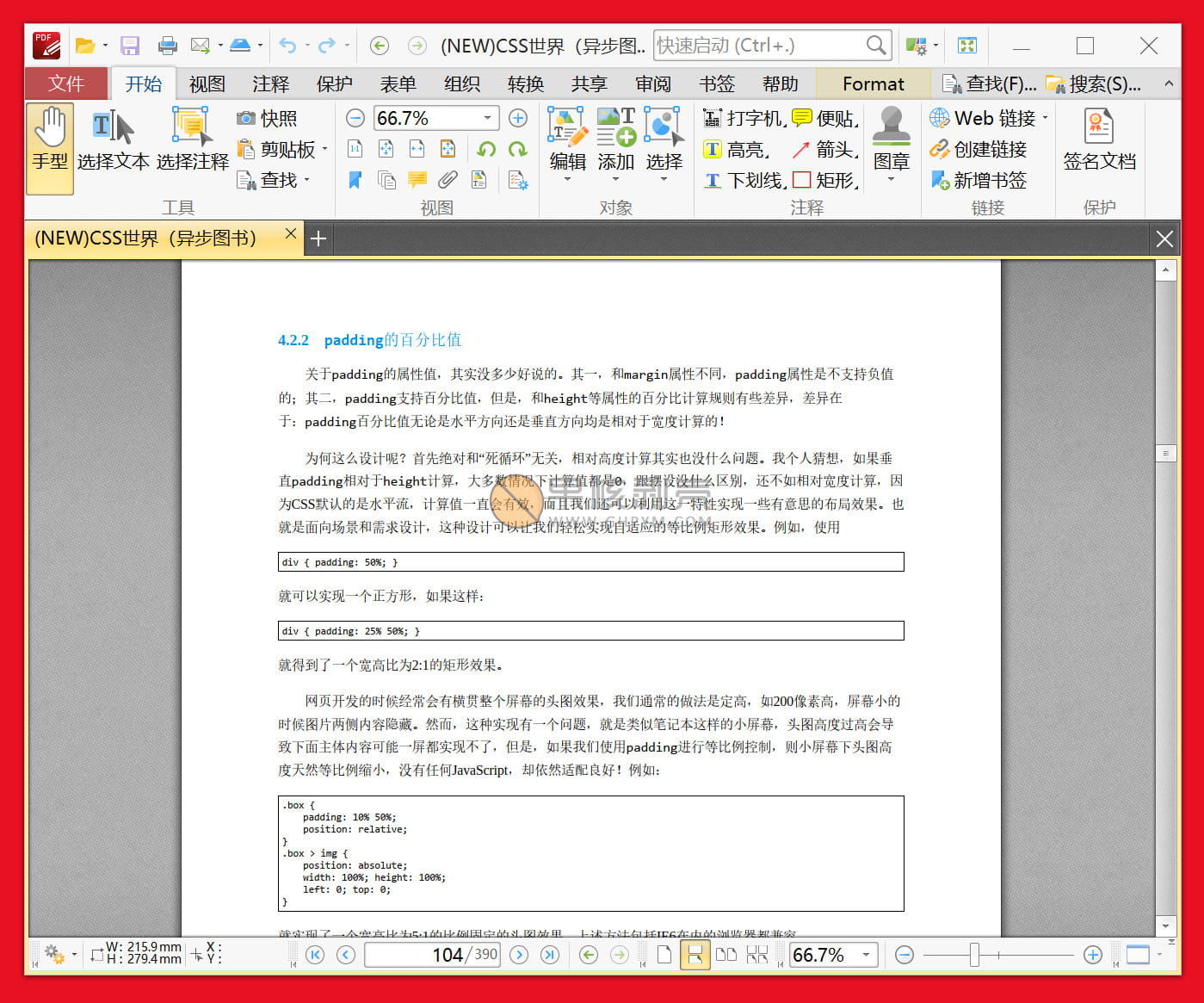
PDF-XChange Editor Plus 11.0.1.0 便携版

下载地址

https://pan.xunlei.com/s/VOPcpXMbD7qixvAnoy7CIXvQA1?pwd=5vb9#

已高速(如有密码:3519)http://ct.ghpym.com/d/7369060-41329151-5e75f1

https://pan.baidu.com/s/1ESQtD5F40ntbJVojqbC_Xg

提取码:ghxi

PDF-XChange Editor Plus 11.0.1.0 便携版VIP高速直链
果核剥壳独家直链,无需网盘直接下载,省时省力
普通用户每天也提供免费下载次数
隐藏内容,VIP可见

如果您喜欢本站,点击这儿不花一分钱捐赠本站

这些信息可能会帮助到你: 下载帮助 | 报毒说明 | 进站必看

修改版本安卓软件,加群提示为修改者自留,非本站信息,注意鉴别

(180)
上一篇 2天前
下一篇 2天前

相关推荐

发表回复

评论问题之前,点击我,能帮你解决大部分问题

您的电子邮箱地址不会被公开。 必填项已用*标注

评论列表(229条)

  • 863679322
    863679322 2026年6月13日 下午3:13
    Google Chrome 134.0.0.0 Google Chrome 134.0.0.0 Windows 11 x64 Edition Windows 11 x64 Edition

    便携版缺少右键菜单,可以写一个BAT脚本,一键生成

    • 863679322
      863679322 2026年6月13日 下午3:15
      Google Chrome 134.0.0.0 Google Chrome 134.0.0.0 Windows 11 x64 Edition Windows 11 x64 Edition

      @echo off
      chcp 65001 >nul
      title PDF-XChange Editor Plus 便携版 - 右键菜单一键添加工具
      color 0A

      :: ========== 自动申请管理员权限 ==========
      fltmc >nul 2>&1 || (
      echo 正在申请管理员权限...
      powershell -Command "Start-Process cmd -ArgumentList '/c ""%~f0""' -Verb RunAs"
      exit /b
      )

      :: ========== 核心:自动识别程序路径 ==========
      set "PDFXPath=%~dp0PDFXEdit.exe"

      :: 校验程序是否存在
      if not exist "%PDFXPath%" (
      echo.
      echo ⛔ 错误:未找到 PDFXEdit.exe
      echo 请将此批处理文件 放到软件根目录(和PDFXEdit.exe同文件夹)
      echo.
      pause
      exit /b
      )

      echo.
      echo ✅ 成功识别程序路径:
      echo %PDFXPath%
      echo.

      :: ========== 清理旧注册表项 ==========
      reg delete "HKCR\*\shell\OpenWithPDFXChange" /f >nul 2>&1
      reg delete "HKCR\.pdf\shell\OpenWithPDFXChange" /f >nul 2>&1
      reg delete "HKCR\SystemFileAssociations\.pdf\shell\OpenWithPDFXChange" /f >nul 2>&1

      echo 正在添加右键菜单...
      :: ========== 1. 所有文件右键菜单 ==========
      reg add "HKCR\*\shell\OpenWithPDFXChange" /ve /d "用 PDF-XChange Editor 打开" /f >nul
      reg add "HKCR\*\shell\OpenWithPDFXChange" /v "Icon" /d "\"%PDFXPath%\",0" /f >nul
      reg add "HKCR\*\shell\OpenWithPDFXChange\command" /ve /d "\"%PDFXPath%\" \"%%1\"" /f >nul

      :: ========== 2. PDF文件专属右键菜单 ✅ 修复完成 ==========
      reg add "HKCR\SystemFileAssociations\.pdf\shell\OpenWithPDFXChange" /ve /d "用 PDF-XChange Editor 打开" /f >nul
      reg add "HKCR\SystemFileAssociations\.pdf\shell\OpenWithPDFXChange" /v "Icon" /d "\"%PDFXPath%\",0" /f >nul
      reg add "HKCR\SystemFileAssociations\.pdf\shell\OpenWithPDFXChange\command" /ve /d "\"%PDFXPath%\" \"%%1\"" /f >nul

      echo.
      echo ✅ 右键菜单添加成功!
      echo ======================================
      echo 正在重启资源管理器使设置立即生效...
      taskkill /f /im explorer.exe >nul && start explorer.exe >nul
      echo 生效完成!
      echo ======================================
      echo.
      pause

  • chenxin0397
    chenxin0397 2026年6月11日 下午7:40
    Microsoft Edge 150.0.0.0 Microsoft Edge 150.0.0.0 Windows 10 x64 Edition Windows 10 x64 Edition

    更新后无法继承前一个版本的个性化设置

    • 德玛西亚
      德玛西亚 2026年6月12日 上午9:04
      Google Chrome 134.0.0.0 Google Chrome 134.0.0.0 Windows 10 x64 Edition Windows 10 x64 Edition

      更新前先导出设置

  • 德玛西亚
    德玛西亚 2026年6月11日 下午2:14
    Google Chrome 134.0.0.0 Google Chrome 134.0.0.0 Windows 10 x64 Edition Windows 10 x64 Edition

    等了很久,终于更新了,谢谢!

    • 乐悠先生
      乐悠先生 2026年6月11日 下午6:07
      Google Chrome 95.0.4638.69 Google Chrome 95.0.4638.69 Windows 10 x64 Edition Windows 10 x64 Edition

      11版本好用吗?

    • 德玛西亚
      德玛西亚 2026年6月11日 下午7:30
      Google Chrome 134.0.0.0 Google Chrome 134.0.0.0 Windows 10 x64 Edition Windows 10 x64 Edition

      目前用着没问题,除了加入AI分析总结,其它新功能不多

  • 烽火戲豬猴
    烽火戲豬猴 2026年5月25日 上午9:01
    Firefox 151.0 Firefox 151.0 Windows 10 x64 Edition Windows 10 x64 Edition

    最近几个版本都会不定时发生乱码状况,需要重新打开图纸才恢复正常浏览,不清楚啥情况

    • sandyvs
      sandyvs 2026年5月28日 下午4:50
      Microsoft Edge 148.0.0.0 Microsoft Edge 148.0.0.0 Windows 11 x64 Edition Windows 11 x64 Edition

      #解决PDF-XChange Plus文本在几十分钟后消失的问题:
      1. 使用Resource Tuner 打开原版PDFXEditCore.x64.dll
      2. 选择TYPELIB资源项,点击红色X按钮删除,保存文件

      这个顶事不

  • iTop
    iTop 2026年4月23日 上午11:54
    Google Chrome 133.0.0.0 Google Chrome 133.0.0.0 Windows 11 x64 Edition Windows 11 x64 Edition

    zd423的绿色版以前乱码的问题,不清楚新版是否解决了

  • xmp4660
    xmp4660 2026年4月21日 下午1:34
    Microsoft Edge 146.0.0.0 Microsoft Edge 146.0.0.0 Windows 11 x64 Edition Windows 11 x64 Edition

    非常奇怪,似乎有反盗版机制,随机在OCR结果中插入位置字符©,例如:
    金属材料的制©与加工既是©统制造©©型升级的©©基©
    应该写入了注册表,便携版也会触发这一机制

    • xmp4660
      xmp4660 2026年6月13日 上午2:54
      Microsoft Edge 149.0.0.0 Microsoft Edge 149.0.0.0 Windows 11 x64 Edition Windows 11 x64 Edition

      破案,如果OCR出现乱码,删除 AppData\Roaming\Tracker Software\Common\ABBYY\UserData\FontCache 即可,乱码问题为字体缓存所致

  • Everily
    Everily 2026年3月25日 上午9:56
    Google Chrome 146.0.0.0 Google Chrome 146.0.0.0 Mac OS X  10.15.7 Mac OS X 10.15.7

    PDF-XChange Editor 10.8.4 OCR插件无法启用,OCR用不了,也选择不了识别语言。

    • Everily
      Everily 2026年3月25日 上午10:17
      Google Chrome 146.0.0.0 Google Chrome 146.0.0.0 Mac OS X  10.15.7 Mac OS X 10.15.7

      找到了问题,供后续的朋友参考。

      造成OCR不可用的原因是:OCR引擎默认是“增强版(精细阅读器)”,而这个引擎貌似有问题,即使在OCR里选择了中文和英文,在【转换】-【识别页面】也没法选择语言,“确定”按钮也没法点,导致不可用。

      解决办法:【文件】-【管理项】-【文字识别】,将“当前OCR引擎”改为默认就可以了。当前版本存在另一个BUG就是配置无法保存,每次打开软件要使用OCR都需要重新设置。

    • Everily
      Everily 2026年3月25日 上午10:31
      Google Chrome 146.0.0.0 Google Chrome 146.0.0.0 Mac OS X  10.15.7 Mac OS X 10.15.7

      updated

      OCR无法使用和配置无法保存都是权限引起的。

      parallels Desktop安装的ARM windows11只有一个C盘,PDF-XChange Editor放在了C盘里,权限不够可能导致更改了PDF-XChange Editor的配置后点应用和确定(没生效),但没报错。

      选中PDF-XChange Editor程序,右键-属性-兼容性,勾选“以管理员身份运行此程序”,然后重启PDF-XChange Editor,问题均解决。

  • ( ^_^ )
    ( ^_^ ) 2026年3月23日 上午11:04
    Google Chrome 132.0.0.0 Google Chrome 132.0.0.0 Windows 11 x64 Edition Windows 11 x64 Edition

    常用的PDF软件,感谢老大及时更新

  • 16787440
    果壳迷 2026年2月26日 下午2:37
    Google Chrome 134.0.0.0 Google Chrome 134.0.0.0 Windows 10 x64 Edition Windows 10 x64 Edition

    感谢版主分享,一直使用这个软件

  • idocomo
    idocomo 2026年1月15日 上午9:25
    Google Chrome 144.0.0.0 Google Chrome 144.0.0.0 Windows 10 x64 Edition Windows 10 x64 Edition

    用了一圈,最后还是转回来这个最好用最安逸。只是现在10.x版本开始臃肿了,直接的版本很轻量化

  • junzi
    junzi 2025年12月31日 上午8:48
    Google Chrome 130.0.0.0 Google Chrome 130.0.0.0 Windows 11 x64 Edition Windows 11 x64 Edition

    很强很强,支持一波赞

    • sw
      sw 2025年12月31日 下午2:17
      Microsoft Edge 143.0.0.0 Microsoft Edge 143.0.0.0 Windows 11 x64 Edition Windows 11 x64 Edition

      您好,这个可以将pdf转化成word吗

    • tsai
      tsai 2026年2月4日 下午2:34
      Microsoft Edge 141.0.0.0 Microsoft Edge 141.0.0.0 Windows 11 x64 Edition Windows 11 x64 Edition

      完全可以的 ,在转化那个tab,

  • 玩玩新軟件
    玩玩新軟件 2025年12月20日 上午9:41
    Firefox 146.0 Firefox 146.0 Windows 10 x64 Edition Windows 10 x64 Edition

    423down已經提供 v10.8.1.406 x64版,目前使用起來,沒發現什麼問題 😎

  • 烽火戲豬猴
    烽火戲豬猴 2025年11月24日 下午12:54
    Google Chrome 122.0.6261.95 Google Chrome 122.0.6261.95 Windows 11 x64 Edition Windows 11 x64 Edition

    这个版本是当前唯一一个长时间使用不会出现乱码和注释消失情况的版本,目前一早上都没出现过。之前所有版本,均会在1小时内出现症状。

    • allwet
      allwet 2025年11月24日 下午2:39
      Microsoft Edge 142.0.0.0 Microsoft Edge 142.0.0.0 Windows 10 x64 Edition Windows 10 x64 Edition

      那太好了,感谢测试

    • zhuxianlian59
      zhuxianlian59 2025年12月18日 下午9:12
      Google Chrome 143.0.0.0 Google Chrome 143.0.0.0 Windows 11 x64 Edition Windows 11 x64 Edition

      405版本不知道会不会有没有试试的

  • 13037106803
    skitech 2025年11月5日 下午6:07
    Microsoft Edge 142.0.0.0 Microsoft Edge 142.0.0.0 Windows 11 x64 Edition Windows 11 x64 Edition

    怎么不用123和夸克网盘了

  • ( ^_^ )
    ( ^_^ ) 2025年11月4日 下午2:32
    Google Chrome 122.0.6261.95 Google Chrome 122.0.6261.95 Windows 11 x64 Edition Windows 11 x64 Edition

    常用的软件,更新及时,感谢老大

  • 16787440
    果壳迷 2025年10月29日 下午7:15
    Google Chrome 134.0.0.0 Google Chrome 134.0.0.0 Windows 10 x64 Edition Windows 10 x64 Edition

    非常好用,谢谢楼主

  • ( ^_^ )
    ( ^_^ ) 2025年10月22日 下午2:03
    Google Chrome 122.0.6261.95 Google Chrome 122.0.6261.95 Windows 11 x64 Edition Windows 11 x64 Edition

    好软件,一定要支持,感谢分享

  • 烽火戲豬猴
    烽火戲豬猴 2025年9月24日 上午10:38
    Google Chrome 122.0.6261.95 Google Chrome 122.0.6261.95 Windows 11 x64 Edition Windows 11 x64 Edition

    这个软件在每天的使用过程中经常性消失大量尺寸和线条,需要重开文件才恢复,隔一会问题频现。和万兴那个将PDF损坏打不开的情况相比稍微好点,但仅仅是好一点。两个PDF已卸载,没法用。

    • wkygb
      wkygb 2025年9月24日 上午11:38
      Microsoft Edge 140.0.0.0 Microsoft Edge 140.0.0.0 Windows 11 x64 Edition Windows 11 x64 Edition

      去下by KpoJIuK的版本, 这里的不行

    • 烟火
      烟火 2025年9月25日 上午8:46
      Google Chrome 122.0.6261.95 Google Chrome 122.0.6261.95 Windows 11 x64 Edition Windows 11 x64 Edition

      感谢

    • 林一新
      林一新 2025年11月1日 上午10:37
      Microsoft Edge 141.0.0.0 Microsoft Edge 141.0.0.0 Windows 11 x64 Edition Windows 11 x64 Edition

      KpoJluk的确实好用,感谢

    • zeke
      zeke 2025年10月21日 下午4:57
      Google Chrome 141.0.0.0 Google Chrome 141.0.0.0 Windows 11 x64 Edition Windows 11 x64 Edition

      请问可否给个链接,实在没搜到